Evaluating a Work from Home Planner: Digital Templates vs. Traditional Organization Methods
The shift to remote and hybrid work has fundamentally altered how professionals manage their time, yet many still rely on organizational systems designed for traditional office environments. A dedicated work from home planner addresses the specific friction points of remote employment, such as blurred boundaries between personal and professional life, unstructured meeting schedules, and the need for self-directed accountability. When evaluating organization tools, it is essential to distinguish between generic productivity aids and systems specifically architected for the remote context. Understanding these distinctions helps determine whether a digital template-based approach or a traditional physical system better suits your current workflow.
Distinguishing Remote-Specific Planning from General Productivity
Standard planners often assume a fixed commute, designated lunch hours, and face-to-face interactions that naturally segment the day. In contrast, a work from home planner must account for fluid schedules and domestic distractions. The primary differentiator is the integration of environmental management with task management. Effective remote planning templates often include sections for tracking energy levels alongside tasks, designating specific "deep work" blocks to combat household interruptions, and logging virtual meeting fatigue.
When comparing options, look for layouts that prioritize flexibility over rigidity. While a traditional hourly scheduler works for corporate offices, remote workers often benefit from block scheduling or theme-based days. A specialized template should offer a weekly view that accommodates asynchronous communication windows rather than just synchronous meeting slots. If a planner lacks space for non-work transitions or fails to separate urgent digital communications from strategic project work, it may not be optimized for the unique cognitive load of working from home.
Digital Canva Templates vs. Physical Notebooks: A Practical Comparison
The decision between a digital editable template and a physical notebook is one of the most significant tradeoffs in remote organization. Each format offers distinct advantages depending on your screen tolerance and need for portability.
The Case for Editable Digital Templates
Digital planners, particularly those editable in platforms like Canva, excel in adaptability. For remote workers whose roles evolve frequently, the ability to modify headers, add custom trackers, or restructure weekly spreads without purchasing a new book is invaluable. This format supports a paperless workflow, which aligns with the digital nature of remote jobs. Key strengths include:
- Customization: Users can adjust fonts, colors, and sections to match personal processing styles or company branding.
- Integration: Digital files can be imported into tablet note-taking apps or used directly on desktops, keeping all work assets in one ecosystem.
- Cost Efficiency: A single purchase provides unlimited reprints and iterations, unlike physical notebooks that require repurchasing when filled.
- Meeting Tracking: Digital templates often include dedicated meeting trackers that can be duplicated infinitely, accommodating high-volume virtual schedules better than fixed-page notebooks.
The Case for Physical Analog Systems
Despite digital convenience, physical planners remain relevant for remote workers experiencing screen fatigue. Writing by hand has been shown to improve memory retention and provide a tactile break from keyboards. Physical systems are superior for those who need to physically close a book to signal the end of the workday, creating a psychological boundary that digital devices sometimes fail to provide. However, they lack the searchability and editability of digital alternatives and cannot be easily shared or backed up.
Evaluating Template Flexibility and Accessibility
Not all digital planners are created equal. When assessing a work from home planner template, software accessibility is a critical decision factor. Many premium digital planners require paid subscriptions to specific apps or advanced design software. Templates compatible with free accounts lower the barrier to entry and ensure long-term usability regardless of budget changes.
Fully editable templates offer a middle ground between rigid pre-printed PDFs and building a system from scratch. Pre-made designs provide immediate structure and aesthetic cohesion, saving hours of setup time. However, true utility comes from the depth of editability. Verify that all elements, including text boxes, graphics, and tables, are unlocked. A template that only allows text replacement limits its lifespan as your role changes. The ideal resource includes multiple variations—such as daily, weekly, and meeting-specific layouts—to prevent the user from forcing their workflow into an ill-fitting structure.
Assessing Content Relevance for Remote Workflows
Aesthetic appeal often drives digital planner sales, but functional content determines long-term adoption. When comparing products, scrutinize the included pages for remote-specific utility rather than generic motivational quotes. A comprehensive download should ideally contain a triad of planning horizons:
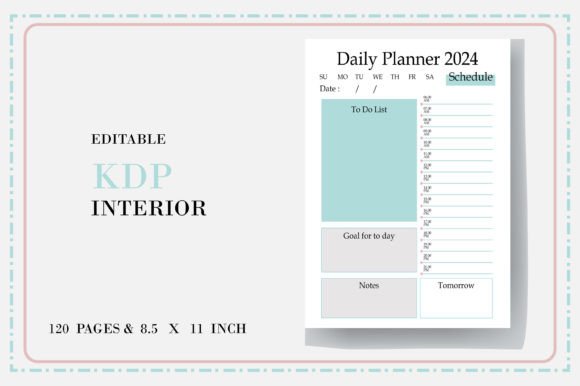
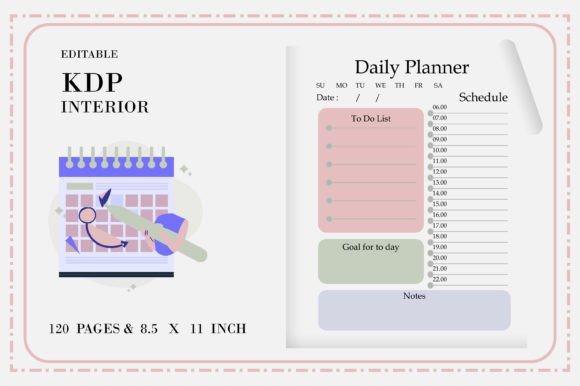
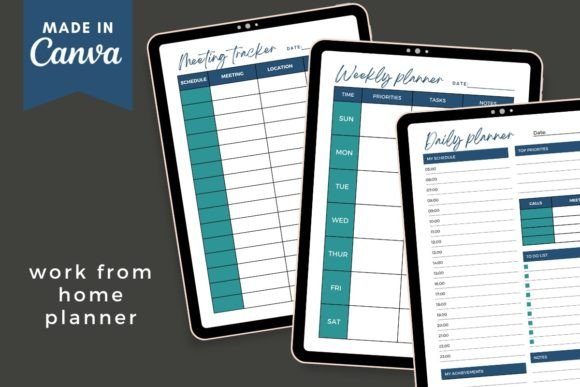
- Daily Planner: Should focus on prioritization and time-blocking rather than simple to-do lists. Look for sections that prompt reflection on daily wins or blockers, which aids in self-management without direct supervision.
- Weekly Plan: Essential for seeing the macro view of projects and balancing workload distribution. This view should accommodate asynchronous deadlines and personal appointments side-by-side.
- Meeting Tracker: Specifically vital for remote roles. Unlike standard calendars, a dedicated tracker should capture action items, decisions made, and follow-up dates in a centralized location, reducing the cognitive load of searching through chat logs and email threads.
If a template bundle lacks these core components or treats them as afterthoughts, it may serve better as a journal than a functional work tool. Evaluate whether the layout density matches your information needs; minimalist designs look clean but may lack necessary fields for complex project management, while dense layouts can feel overwhelming during high-stress periods.
Workflow Integration and Implementation Strategy
Acquiring a planner is only the first step; integration determines success. Digital templates require a setup phase that physical notebooks do not. Before purchasing, consider your technical comfort level and available time for customization. Using editable templates involves downloading a PDF guide, accessing the link, and modifying the master file. This process allows for personalization but requires an initial time investment.
Consider how the output will be consumed. If you plan to print the planner at home, verify that the dimensions are standard and ink-friendly. If using digitally, ensure compatibility with your preferred device and stylus. Export options matter significantly; the ability to save individual pages as JPEGs or PNGs facilitates sharing updates with teams or posting progress on professional networks, while full PDF exports are better for archival and printing. A versatile template supports multiple export formats to accommodate different use cases without requiring additional conversion software.
Identifying Limitations and Best-Fit Scenarios
While a customizable work from home planner offers significant advantages, it is not a universal solution. Understanding limitations prevents buyer’s remorse and ensures alignment with actual needs.
When a Digital Template is the Right Choice
This format is ideal for professionals who value iteration and visual consistency. It suits those who already live in a digital ecosystem and want their planning tool to integrate seamlessly with other online workflows. It is particularly effective for freelancers, virtual assistants, and remote employees who manage multiple clients or projects and need to duplicate or modify tracking systems frequently. If you have previously abandoned physical planners due to wasted pages or changing needs, an editable digital template resolves those pain points.
When to Consider Alternatives
If you struggle with digital distraction or find that opening a design tool triggers procrastination, a pre-structured physical planner or a simple task management app may be more effective. Complex editable templates can become a form of productive procrastination where more time is spent designing the perfect layout than executing tasks. Additionally, if your organization has strict data security policies prohibiting third-party cloud tools, verify compliance before using web-based design platforms for sensitive work planning. Finally, those who require automated reminders, recurring tasks, or team collaboration features will find static templates limiting compared to dedicated project management software.
Making an Informed Selection
Choosing the right organization system requires honest assessment of your current remote work challenges. Compare potential planners against your specific friction points: Do you need better meeting documentation? More visible weekly structure? Or simply a way to mentally separate work from home life? Prioritize function over form, ensuring that any aesthetic appeal serves clarity rather than obscuring it. By evaluating editability, accessibility, content relevance, and integration requirements, you can select a work from home planner that acts as a sustainable support system rather than just another digital asset. The goal is not merely to own a template, but to establish a resilient routine that enhances both productivity and well-being in a remote environment.