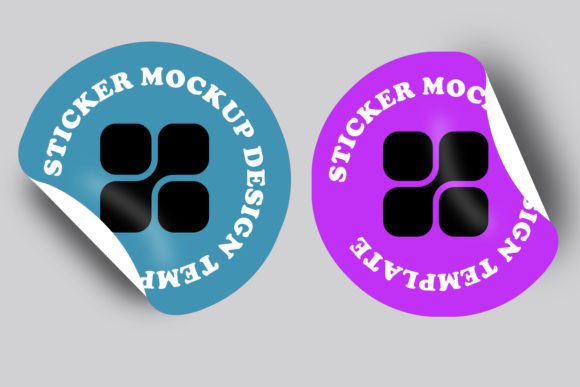
Round Sticker Design Mockup PSD Template: Visualizing Labels Before Production
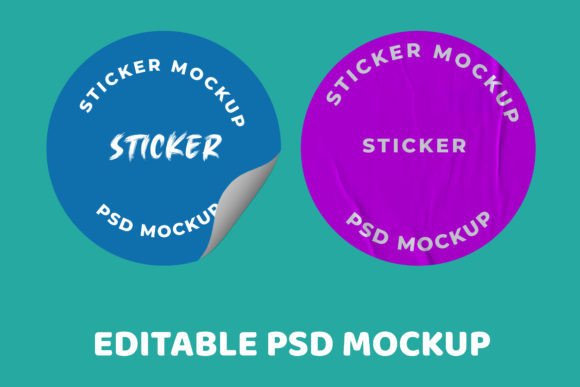
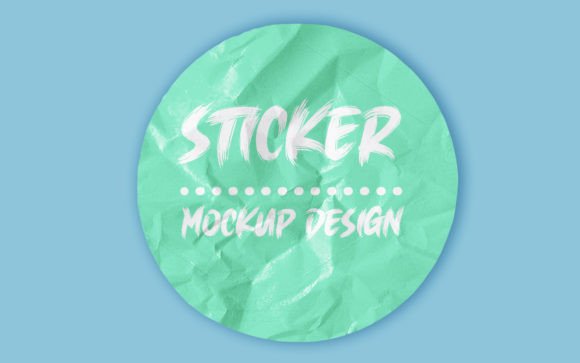
When you are staring at a flat, two-dimensional circle on your screen, it is surprisingly difficult to predict how that design will actually feel in a customer's hand. The Round Sticker Design Mockup PSD Template bridges the gap between digital artwork and physical reality. It is more than just a pretty presentation tool; it is a functional prototype that allows designers, brand managers, and small business owners to validate their visual choices before committing to expensive print runs. By utilizing high-resolution smart objects, this template transforms flat vector files into photorealistic renders that account for lighting, texture, and curvature.
The primary value here lies in risk mitigation and communication. For freelance designers, sending a client a flat JPEG often leads to confusion or disappointment because the client cannot visualize the final product. A realistic mockup sets accurate expectations. For product sellers, it provides marketing assets that look professional without the cost of hiring a photographer for every single label variation. Understanding the practical applications of this resource helps you leverage it effectively across different stages of the branding and packaging workflow.
Real-World Applications Across Industries
Different sectors utilize round stickers for vastly different purposes, and the way you apply the Round Sticker Design Mockup PSD Template should reflect those specific needs. The versatility of a circular label format makes it a staple in several key markets.
Artisan Food and Beverage Packaging
In the craft food industry, round stickers are frequently used as jar lids, bottle caps, or seals for paper bags. If you are designing for a hot sauce brand, a honey producer, or a boutique coffee roaster, the context matters immensely. A matte paper sticker looks very different on a glass mason jar than a glossy vinyl sticker does on a plastic bottle. Using this mockup allows you to test how your typography interacts with the curved surface of a lid. You can determine if the logo remains legible when viewed from above at an angle, which is exactly how customers see products on crowded farmers' market tables or grocery shelves.
Cosmetics and Beauty Product Seals
Beauty brands rely heavily on tactile experiences. Round labels often serve as tamper-evident seals or decorative accents on compacts and cream jars. In this scenario, the mockup helps you evaluate finish options. Does the gold foil stamping clash with the holographic background? Is the text too small to read against a textured paper stock? By visualizing these elements realistically, you can avoid costly reprints caused by poor contrast or illegible fine print. The ability to showcase metallic effects and embossing within the PSD environment is particularly valuable for luxury positioning.
Retail Price Tags and Inventory Management
Not all round stickers are about branding; some are purely functional. Retailers often use circular labels for pricing, sale indicators, or size markers. While aesthetics are secondary to utility, clarity is paramount. Designers working on retail signage systems can use the mockup to ensure that variable data, such as prices or barcodes, fits comfortably within the safe zone of a circular die-cut. Testing various font weights and background colors in a realistic setting ensures that the information remains scannable and readable under store lighting conditions.
Enhancing Client Presentations and Approval Rates
One of the most frustrating aspects of creative work is the feedback loop. Clients often struggle to separate the design concept from the presentation method. When you present a Round Sticker Design Mockup PSD Template, you are controlling the narrative. Instead of asking the client to imagine the sticker on their product, you show them exactly what it looks like. This drastically reduces revision rounds related to "vibe" or "feel" rather than actual design mechanics.
Consider a scenario where you are pitching three different label concepts for a new line of organic jams. Concept A is minimalist, Concept B is illustrative, and Concept C is vintage-inspired. Presenting these as flat circles makes comparison difficult because they lack context. By placing all three into the same high-quality mockup scene, you create an apples-to-apples comparison. The client can instantly see which style aligns best with their shelf presence goals. This visual consistency builds trust and positions you as a strategic partner who understands manufacturing constraints, not just a decorator.
E-Commerce Listing Optimization
For sellers on platforms like Etsy, Amazon Handmade, or Shopify, product photography is the primary conversion driver. However, photographing small, reflective round stickers is notoriously difficult. Glare, shadows, and focus issues can make even a beautiful design look amateurish in listing photos. The Round Sticker Design Mockup PSD Template offers a consistent alternative for digital storefronts.
You can create a cohesive shop aesthetic by using the same lighting setup and background texture across all your listings. This uniformity signals professionalism to buyers. Furthermore, mockups allow you to display variations efficiently. If you offer the same sticker design in five different colorways, rendering them via PSD is significantly faster and cheaper than setting up a photoshoot for each variant. Just remember to balance rendered images with at least one real photo to maintain transparency with buyers regarding texture and scale.
Practical Considerations Before Implementation
While this template is a powerful asset, getting the best results requires attention to technical details. Simply dragging and dropping artwork without preparation can lead to subpar outputs. Here are practical factors to keep in mind when integrating this resource into your workflow:
- Resolution Matching: Ensure your source artwork is created at 300 DPI or higher. Upscaling a low-resolution logo inside a high-res smart object will result in pixelation that defeats the purpose of using a premium mockup. Always design at the actual print size plus bleed.
- Bleed and Safe Zones: Circular die-cuts have zero tolerance for error. Even if the mockup looks perfect, verify that your critical elements (text, logos) are well within the safe area. The mockup might hide edge alignment issues that a printer will catch immediately.
- Color Profile Awareness: Most PSD mockups are in RGB for screen display, while stickers are printed in CMYK. Use the mockup for visual layout and presentation, but always proof your colors separately using soft-proofing tools or physical proofs to avoid neon colors turning muddy in print.
- Texture Interaction: Pay attention to the underlying texture of the mockup. If the template simulates rough kraft paper, intricate thin lines or subtle gradients in your design might get lost. Adjust your design complexity based on the simulated material to ensure realism translates to readability.
Navigating Limitations and Best Practices
It is important to recognize what a Round Sticker Design Mockup PSD Template cannot do. It is a simulation, not a guarantee. Lighting in a mockup is idealized; real-world environments vary wildly. A sticker that pops beautifully in a studio-lit render might disappear under fluorescent office lights or direct sunlight. Always treat the mockup as a directional guide rather than a final proof.
Additionally, be mindful of over-stylization. Some mockups apply heavy displacement maps or warping to simulate wrapping around bottles. If your sticker is intended to be flat (like a laptop decal or envelope seal), using a curved mockup can be misleading. Choose the template variation that matches the intended application surface. Authenticity resonates with audiences; a flat sticker shown on a curved surface creates cognitive dissonance that can subtly undermine confidence in the product.
Finally, consider the file organization. Professional templates come with grouped layers and clearly labeled smart objects. Taking a few minutes to understand the layer structure before editing saves hours of frustration. Rename your smart object layers to match your project files for easier future reference. This organizational habit pays dividends when you need to revisit a project months later or hand off files to another designer. By treating the mockup as a professional production tool rather than a quick filter, you extract maximum value and elevate the perceived quality of every round sticker project you undertake.